Viewing your tax slips (T4, T4A)
Tax slips for the most recent calendar year (ending December 31) will be available to be downloaded by the end of February of the following year; i.e. T4 and T4A tax slips for the 2022 calendar year will be available no later than February 28, 2023.
- Go to the employee services section of online tools
- Click on the link for T4 / T4A tax slips (this will take you into the employee dashboard)
- Select the year for which you want to view your tax slip (the most recent taxation year is selected by default)

- Click on the link 'T4 - Statement of Remuneration Paid' or 'T4A - STatement of Pension, Retirement, Annuity, and Other Income'
*Not all employees will have the link for the T4A tax slip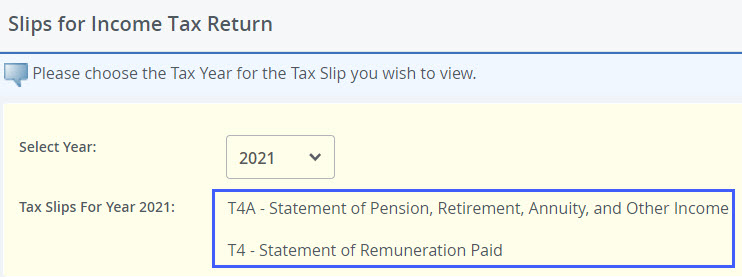
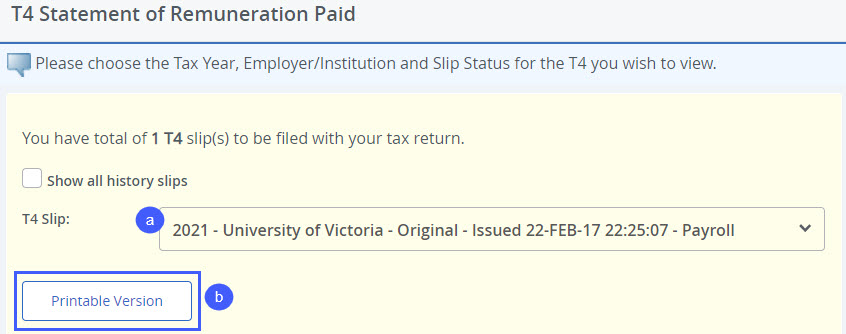
- Select the tax slip to download
- In some instances, you may have more than one tax slip for the current year. You will see more than one slip available in the drop down box in the screen (see below). More than one T4 may be generated for the following reasons:
- If you have more than one job with certain units or union groups on campus, a separate T4 will be generated - download all T4s for different jobs to use when filing your taxes
- If your T4 was amended after it was initially issued - select the most recent T4 slip to use when filing your taxes
- Click on 'Printable Version' to open or download a printable PDF of your T4 or T4A tax slip
- In some instances, you may have more than one tax slip for the current year. You will see more than one slip available in the drop down box in the screen (see below). More than one T4 may be generated for the following reasons: